

If your iPhone battery is lasting less than normal, don’t worry: Apple is aware of the issue and says it is temporary
The company explains that this is all due to the arrival of iOS 26 and reassures users concerned about their phones.
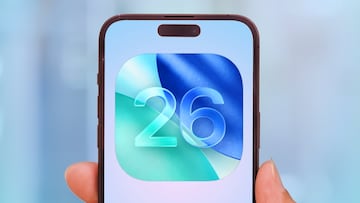
The wait is finally over: iOS 26 is now officially available for all compatible iPhones. This is the most ambitious update of the last decade for Apple devices, featuring a redesigned interface and many new features. However, not all users are happy with it. Many have noticed that, after installing it, their phone’s battery tends to heat up more than usual.
Apple itself echoed this sentiment, stating that it is completely normal and should not be a cause for alarm. On its official support page, the company explained that after releasing a major update such as iOS 26, the system needs to perform multiple background processes, such as internal adjustments, file reorganization, downloading new resources, and updating apps. All of this can lead to increased power consumption and higher temperatures, even after the device has been restarted. Therefore, this is a temporary inconvenience. The company hinted that iPhones will stabilize on their own once all pending processes have been completed.
Apple acknowledges battery issues but says they are normal and temporary
However, there are cases where this problem can be prolonged, depending on the condition of the phone and how each person uses it. Older iPhones, such as the iPhone 11, are also compatible with iOS 26, but some of its more modern features may be too demanding for it. As a result, older smartphones will experience higher energy consumption for longer periods of time.
Apple recommends preparing your devices properly before hitting the update button, backing up your data, and freeing up storage space so that the installation goes smoothly. Doing so will allow the system to perform better from the start. Therefore, if your iPhone’s battery seems to drain faster after installing iOS 26, the best thing to do is wait. Over time, it should return to normal.
Related stories
Follow MeriStation USA on X (formerly known as Twitter). Your video game and entertainment website for all the news, updates, and breaking news from the world of video games, movies, series, manga, and anime. Previews, reviews, interviews, trailers, gameplay, podcasts and more! Follow us now!
Complete your personal details to comment