


The unknown WhatsApp feature that we all have on Android and iOS: with this button, Meta AI can no longer read your chats
Meta’s AI automatically sneaks into WhatsApp chats, which can be very annoying; now you can easily get rid of it.

Since the integration of Meta AI artificial intelligence into WhatsApp, it runs in the background in all private and group conversations, which means that, in theory, it can read all our messages. This happens when someone in the chat activates the bot by typing @MetaAI. At that moment, the corresponding message is transferred to Meta’s AI integrated into WhatsApp, something that is raising a lot of suspicion among users of the app. The remaining messages remain accessible only to the participants in the conversation and are fully encrypted.
How to disable Meta AI on WhatsApp
Although this tool only works if users specifically activate it, Meta AI can cause discomfort among many users, as there is a risk that members will accidentally activate the bot, especially in group conversations. While Meta AI cannot be completely disabled, the company recently enabled a new privacy feature that allows users to at least exclude Meta AI from WhatsApp chats.
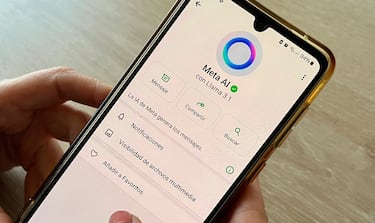
A new button has now been enabled in WhatsApp private and group chats, which is disabled by default. Thus, if Enhanced Chat Privacy is enabled, no chat participant will be able to access Meta AI via the @ symbol. This ensures that the AI can no longer be contacted and the chat content cannot be viewed.
In group chats, on the other hand, any member can enable or disable this additional feature, even if they do not have administrator privileges. The other members of the group will receive a brief message in the chat informing them that WhatsApp’s enhanced privacy has been enabled.
Follow these steps to exclude Meta AI from WhatsApp chats:
- Go to the WhatsApp chat where you want to exclude Meta AI.
- Open the conversation settings.
- Enable the Enhanced Chat Privacy feature.
What happens when privacy is enabled in WhatsApp?
If enhanced chat privacy is enabled, Meta AI can no longer be accessed using the @ symbol, which prevents artificial intelligence from accessing conversations. Enabling this feature also has other consequences: images and videos sent in chats no longer automatically appear in the phone’s gallery. In addition, it is no longer possible to export conversation history.

However, WhatsApp users who enable privacy should be careful, as the new privacy feature does not offer complete protection: screenshots can still be taken and messages can still be shared. Therefore, it is recommended not to share confidential data in large group chats, even with enhanced privacy enabled.
Related stories


Follow MeriStation USA on X (formerly known as Twitter). Your video game and entertainment website for all the news, updates, and breaking news from the world of video games, movies, series, manga, and anime. Previews, reviews, interviews, trailers, gameplay, podcasts and more! Follow us now!
Complete your personal details to comment